POS Software: a till built for Kenyan retail
How we built FCM an offline-first point of sale that handles M-Pesa, KRA tax reporting, and stock on the shop's own computers.
- Client
- FCM
- Industry
- Retail & Commerce
- Services
- Digital Engineering, Managed Services
- Timeline
- 3 months
The challenge
A busy shop, run by hand
- 01
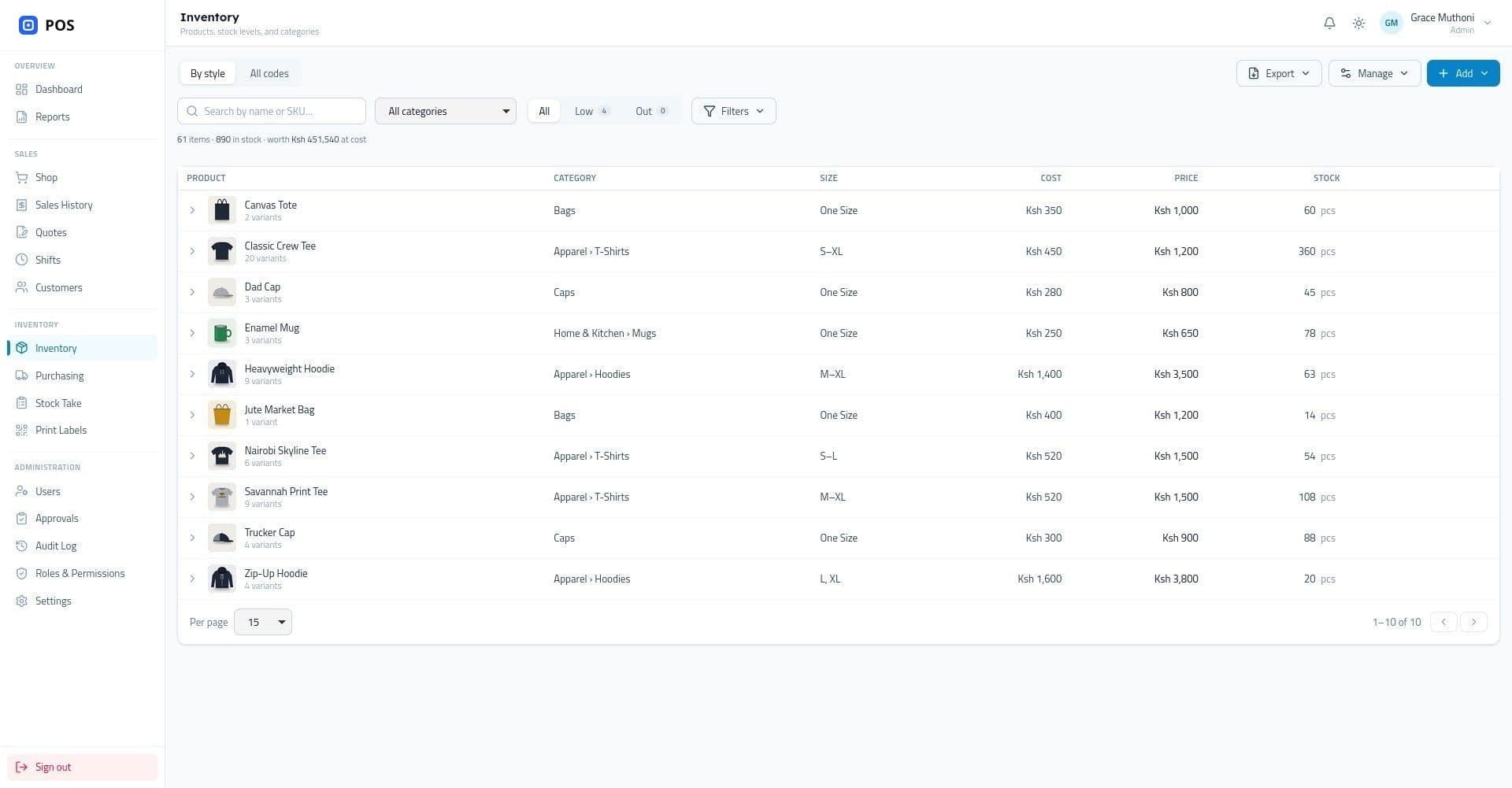
FCM sells over 1,000 products in colour and size variants, tracked [in spreadsheets and by hand].
- 02
M-Pesa payments were checked by eye against phone messages, so missed and duplicate payments surfaced only at the end of the day.
- 03
Every sale had to be reported to KRA, and counting stock meant [closing the shop for a day].
What we built
A point of sale that keeps selling, online or not
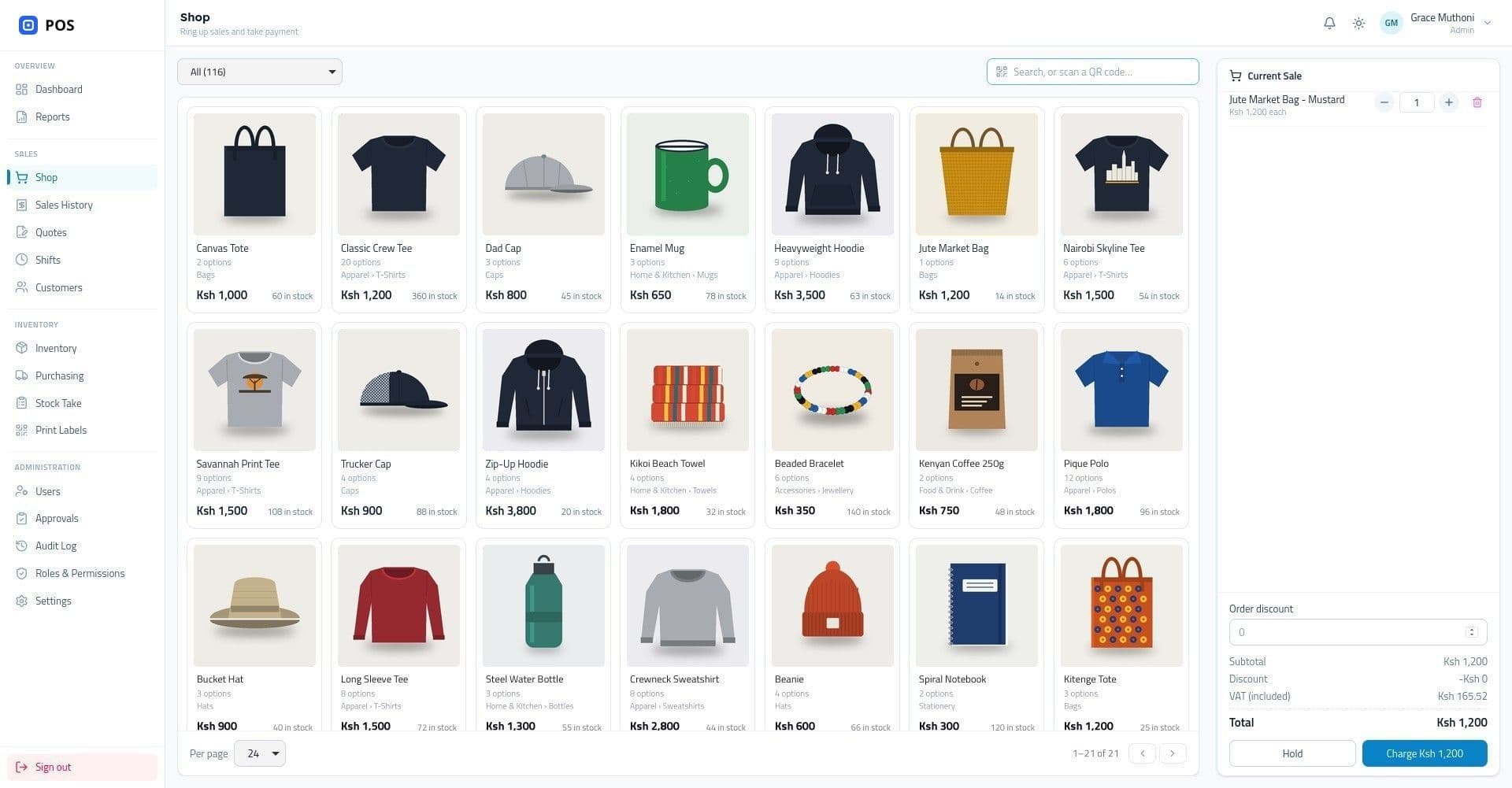
Fast, keyboard-first till
Barcode and QR lookup, split payments, quotes that turn into sales, and a cash drawer that opens itself.
M-Pesa built in
STK Push prompts on the customer's phone, till payments matched automatically, and missed callbacks recovered.
KRA tax compliance
Every sale is reported through the shop's ETR, with the CU invoice number and KRA QR code on the receipt.
Purchasing and stock takes
Purchase orders, goods received notes, and stock counts that run while the shop keeps selling.
Several tills, one shop
Extra tills connect to the main till over the shop network, with one end-of-day Z report across all of them.
Access and audit
Admin, manager, and cashier roles with per-page permissions, approvals for voids and adjustments, and a full audit log.
Reports & insights
Know how the shop did, every day
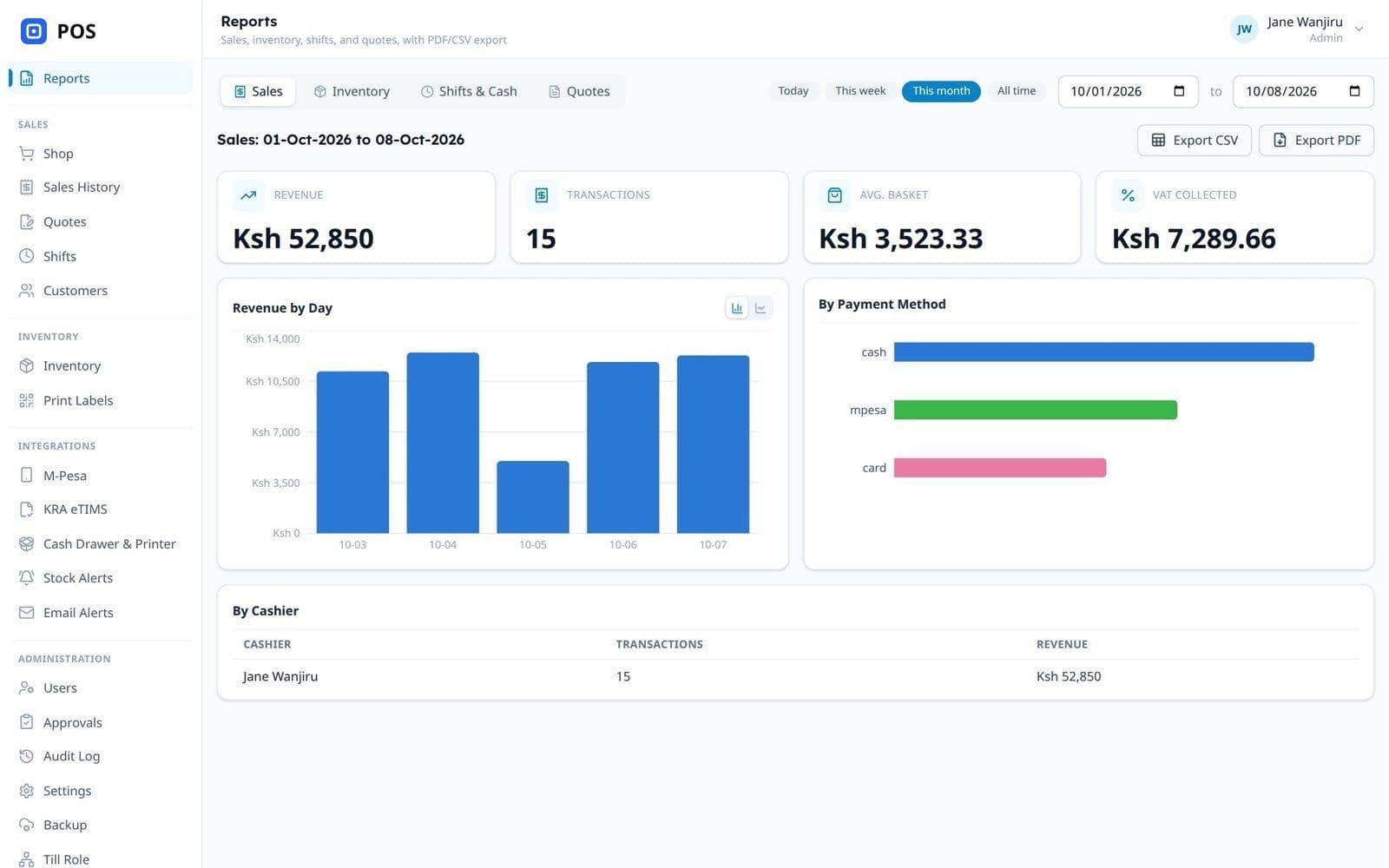
The dashboard shows today's takings and low stock at a glance, and every report filters by date range, with a daily sales summary emailed to the owner.
Sales
Revenue, transactions, average basket, and VAT, by day, cashier, payment method, and category.
End of day Z report
One report across every till. Closed days are frozen and numbered, so a reprint always matches.
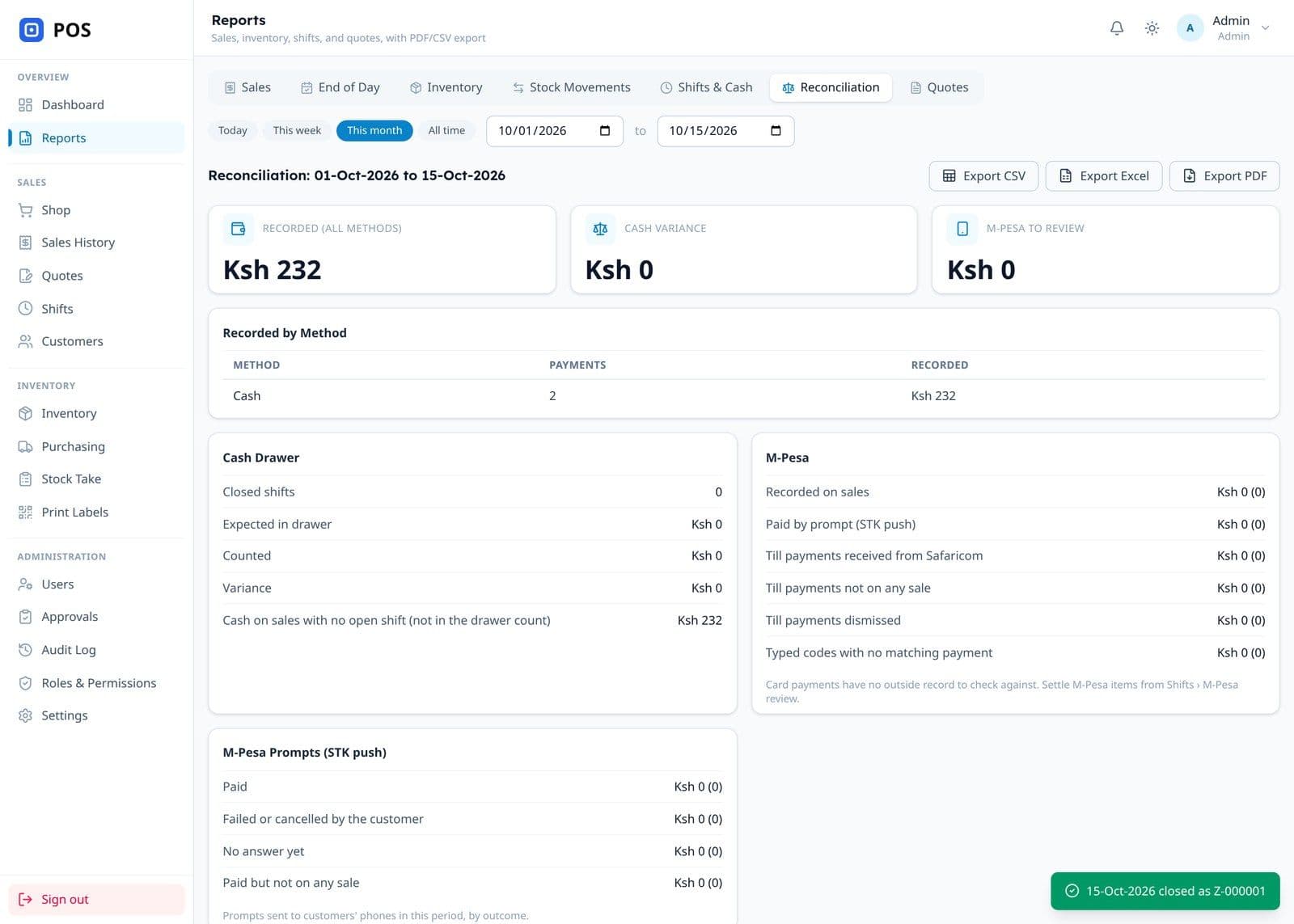
Reconciliation
Cash counted in the drawer and M-Pesa recorded on sales, checked against what Safaricom reported.
Inventory
Stock on hand, best sellers, and products sitting on the shelf that haven't sold.
Stock movements
Every change to stock, from sales and returns to deliveries and stock takes, with who made it.
Shifts and quotes
Floats, expected against counted cash, and how many quotes turned into sales.
Controls & safeguards
Controls that keep the till honest
The owner doesn't have to be in the shop to know what's happening in it. Problems raise themselves, sensitive changes wait for a second pair of eyes, and nothing goes unrecorded.
Maker-checker approvals
Voids, returns, stock adjustments, and customer edits by cashiers become requests. A manager approves or rejects them with a reason before anything changes.
Alerts that find the right person
Low-stock emails the moment a product runs short, and a warning on every screen, plus an email to managers, when sales aren't reaching KRA or M-Pesa codes are late.
A full audit log
Every sign-in, sale, void, return, and price or stock change, with who made it and when, searchable by user and date.
Permissions per role and page
Admin, manager, and cashier roles, with a permissions matrix the owner can change for every page in the app.
Nothing lost when the network drops
Tax submissions queue and retry, missed M-Pesa payments are recovered from Safaricom, and a sale saved twice is only ever recorded once.
Backups checked to restore
One-click and scheduled backups, optionally to Google Drive, each checked to be restorable, with payment keys left out.
The results
What changed for the shop
- Products and variants on one till
- 1,128
- Product categories, from printed tees to jute bags
- 13
- Tills sharing one stock count and Z report
- Up to 4
- From brief to selling on the new till
- 3 months
“M-Pesa payments now show up at the till on their own, every sale goes to KRA without anyone thinking about it, and we can count stock without closing the shop.”
Running a busy shop?
Tell us how you sell today, and we'll show you what a faster, connected till could look like for you. We usually reply within one business day.